
Huntsville’s tech boom offers more ways to get online, yet the “cheapest” plan on one block can still cost $20 more across the street. Roughly one in six residents is over 65—many living on fixed incomes—and the federal ACP discount ended on June 1, 2024. This guide lines up six contract-free options side-by-side (the numbers are purely for navigation) and explains how income-based programs can shrink a bill faster than chasing gigabit speeds. Give us five minutes and you’ll know which provider to check first and what to ask before you sign.
Quick comparison of six Huntsville internet options

Think of this table as a two-minute crib sheet. We captured each no-contract starting price on October 31, 2026 and added the budget buster that matters most: how long that price sticks.
| Provider | Starting price* | Typical entry speed | Price protection | What’s included | Low-income path | Best when you… |
| WOW! | $30 cable / $40 fiber | Varies by address | Lock it for life for +$5 | Wi-Fi modem | None listed | Need a bill that never rises |
| Xfinity | $45 † for 300 Mbps | 300 / 10 Mbps | 5 years | Gateway + unlimited data | Internet Essentials $14.95 • NOW $30 | Qualify for SNAP/Medicaid or like prepaid flexibility |
| AT&T Fiber | $50 † for 300 Mbps | 300 / 300 Mbps | None stated | Wi-Fi gateway | Access from AT&T | Want fiber reliability at entry cost |
| GFiber | $70 for 1 Gig | 1 Gig / 1 Gig | Flat $70 since 2012 | Router + mesh extenders | None shown | Prefer simple, all-in fiber bills |
| T-Mobile 5G Home | $50 † with AutoPay | 170–354 / 12–55 Mbps | 5 years, taxes included | 5G gateway | None | Value 15-day risk-free self-install |
| Verizon 5G Home | $60 base / $35† with mobile | 85–300 / 10–30 Mbps | 3 years (entry tier) | Router, taxes included | Verizon Forward up to –$30 | Already use Verizon mobile or qualify for Forward |
- Prices exclude sales tax (unless noted) and assume paperless billing.
† Requires AutoPay from a bank account or debit card; credit-card AutoPay may cost $5–$10 more.
“Starting price” and availability can change by street, so re-run the provider’s address checker before you order.
Every option here is contract-free and data-cap-free (WOW!’s unlimited data is verified by current FCC broadband labels). That levels the field, so the main tie-breaker becomes price stability: WOW! lets you freeze a bill forever, Xfinity and the two 5G plans promise multi-year locks, and GFiber skips promos entirely. AT&T assumes its base rate will stay competitive rather than offering an official lock.
Scroll for the story behind each row, and you’ll know which link to click first and which questions to ask before signing up.
1. WOW!: predictable bills with an optional lifetime lock
Current entry pricing (October 31, 2026) starts at $30 a month for cable plans and $40 for fiber plans where WOW! fiber reaches, but exact speed and technology vary house by house. WOW!’s own tool shows service across Downtown Huntsville, Five Points, Madison, Hampton Cove, and ZIP codes such as 35801, 35802, and 35806. Plug your street address into the Huntsville, AL internet service checker on WOW!’s site to confirm availability before you commit.
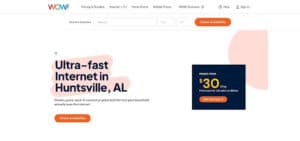
WOW Huntsville internet service checker and Price Lock for Life screenshot
Why it can steady a fixed-income budget
Every WOW! plan that reaches Huntsville is contract-free, includes a Wi-Fi modem, and carries no data caps. Translation: no surprise early-termination fees or overage charges when the grandkids stream Disney+ during spring break.
The standout perk is Price Lock for Life. Pay $5 extra each month and WOW! freezes your monthly rate for as long as you stay on the same speed, keeping a Social Security budget in sync with a bill that never creeps north.
You also receive a 30-day, money-back test drive. If the signal disappoints, send the equipment back and owe nothing for service. When you add the no-contract terms, unlimited data, included gear, and optional lifelong rate, WOW! comes close to a set-it-and-forget-it internet bill, provided the address checker gives you the green light.
2. Xfinity: strongest mix of low-income and prepaid options
Why Xfinity can stretch a fixed-income budget
Few providers cover as many price points as Xfinity. At most Huntsville addresses, the standard 300 Mbps plan costs $45 per month when you enroll in paperless billing and bank-account AutoPay; skip AutoPay and the bill climbs by $10. The plan includes a five-year price guarantee, a rare shield against mid-contract sticker shock, according to Xfinity’s Huntsville offers information.
If your household qualifies through SNAP, Medicaid, or income under 200 percent of the poverty guideline, Internet Essentials cuts the bill to $14.95 for 75/10 Mbps or $29.95 for 100/20 Mbps, with modem and activation already included. Not eligible? NOW Internet keeps things simple at a flat $30 for 100 Mbps, prepaid, tax included, and contract-free.
Equipment arrives ready to plug in, data is unlimited on current Huntsville offers, and the network recently expanded into northeast Madison County; an address that showed “unavailable” last year may light up today. One caveat: Xfinity does not accept Lifeline, so Internet Essentials is the alternative if you need extra help. Run the address checker before you decide; the price guarantee applies only to plans available at your specific street.
3. AT&T Fiber: entry-level fiber with an Access lifeline
Fiber speed without the fiber-price shock
AT&T’s starter fiber tier is $50 per month for 300 Mbps symmetrical speeds when you turn on paperless billing and bank-account AutoPay. Cancel either setting and the price rises to $60. Uploads match downloads, keeping telehealth video crisp on both ends.
Equipment is included, installs are contract-free, and data is unlimited, so one predictable line item covers everything. Need more headroom? The 500 Mbps and 1 Gig plans climb in neat $10 steps, but most senior households will rarely top the 300-tier ceiling.
Access from AT&T can lower the floor
Households that participate in SNAP, SSI, Medicaid, federal housing assistance, or have income at or below 200 percent of the poverty guideline can apply for Access from AT&T. Company materials say qualifying customers pay no deposit, installation, or equipment fees and ride fiber whenever lines reach the block.
Double-check before you commit
- Run the address checker on AT&T’s Huntsville Fiber page; some Madison-County pockets still sit on older copper or Internet Air fixed-wireless loops.
- Confirm the Access credit appears on your first bill; AT&T says it can take one cycle.
- Keep AutoPay active; turning it off bumps the rate by $10.
- Decide whether you need the optional All-Fi Pro mesh kit ($25 per month); the standard gateway covers many single-story homes.
AT&T Fiber offers a solid, no-nonsense entry point, provided the fiber reaches your curb and any Access discount posts as expected.
4. GFiber: flat-rate fiber without promo gimmicks
One price most households can count on
GFiber’s flagship 1 Gig plan has cost $70 since 2012 with no teaser months and no annual jump, according to the company’s published pricing history. That consistency makes budgeting simpler than chasing temporary discounts.
The price covers professional installation, a Wi-Fi 6 router, and mesh extenders if the technician spots dead zones. With 1 Gig / 1 Gig symmetrical speeds, uploads finish as quickly as downloads, handy when you back up photos or join a video doctor visit.
Why 1 Gig isn’t excessive or overpriced
Cable promo tiers often rise toward $70 in year two, so paying that amount upfront for guaranteed gigabit bandwidth can save money over time. If you later need more, GFiber lets you upgrade to 3 Gig ($100) or 8 Gig ($150) without starting a new contract.
Run the address checker first
GFiber rides Huntsville Utilities’ municipal fiber backbone. City addresses usually light up first, while county subdivisions may wait months. Enter your street in the company’s availability tool before scheduling; appointments open only when the line is active at your curb.
5. T-Mobile 5G Home Internet: plug-in setup and a risk-free trial
No tools, no technicians
T-Mobile ships a single gray gateway that plugs into the wall like a lamp. Follow the app’s two-step setup and you’re online in about 15 minutes, with no drilling and no four-hour technician window.
A price that holds for five years
The Broadband Facts label lists a $60 base rate. Turn on bank-account AutoPay and it falls to $50; add a qualifying T-Mobile phone line and it can reach $35. Whatever tier you choose, the company freezes that number for five years, taxes and fees included.
Where it shines
Because fixed-wireless skips street construction, renters and homeowners tired of orange fiber flags can switch in a weekend. Unlimited data keeps Hulu running all night, and a 15-day “test drive” lets you prove the signal works before canceling cable.
What to confirm first
- Speed: Typical Huntsville downloads land between 170–354 Mbps and uploads 12–55 Mbps; actual performance depends on the nearest cell tower.
- Placement: Park the gateway near a window, then test video calls, smart cameras, and any work VPN.
- Network management: Users who exceed about 1.2 TB in a month may see slower speeds during congestion.
- Discounts: T-Mobile does not offer a home-internet Lifeline or Forward-style program, so the sticker price stands.
If the signal meets your needs, keep the service. If it falls short, re-box the gateway within 15 days and walk away without a bill.
6. Verizon 5G Home Internet: extra savings when Verizon Forward applies
Mobile bundle or Forward discount can cut the bill in half
Verizon lists 5G Home at $60 per month. Turn on bank-account AutoPay and add the service to an eligible Verizon wireless plan, and the internet side drops to $35. Qualify for Verizon Forward (income at or below 200 percent of the poverty guideline or enrollment in programs such as SNAP, Medicaid, or WIC) and Verizon can shave up to another $30, leaving some households paying as little as $5 for unlimited home internet.
Where the service excels
The router is free, taxes and fees sit inside the sticker price, and Verizon locks the entry-tier rate for three years. A 30-day money-back window lets you cancel if the signal disappoints.
What to verify first
- Speed: Typical Huntsville downloads run 85–300 Mbps and uploads 10–30 Mbps; fringe blocks can dip lower.
- Address check: Use Verizon’s availability tool and note the “typical” range it shows for your roof.
- Discount timing: Mobile-bundle savings apply right away, while Verizon Forward can take one to two billing cycles.
- Total bundle cost: Add your wireless-plan price to see the real bottom line.
Confirm those details and Verizon’s math often undercuts every wired price on the block, especially if Forward removes another $30 from the tab.
How we compared the six options
Choosing “the best” plan means little unless we agree on what “best” covers. We scored each provider across six practical factors, then multiplied the 0-to-5 score by the weight in the table below.
| Factor | Weight | What we looked for |
| True monthly cost & price stability | 30 % | Required AutoPay, modem or mesh rentals, installation, taxes, and the price after any guarantee ends. A hidden $10 paper-bill fee went straight back into the total. |
| Low-income affordability | 20 % | Size and duration of programs like Internet Essentials, Access from AT&T, or Verizon Forward, and how much paperwork each program demands. |
| Address availability | 15 % | Points only after the provider’s own checker confirmed service at a specific Huntsville address; FCC maps were just the first screen. |
| Reliability & usable performance | 15 % | Symmetrical uploads, unlimited data, trial windows, and third-party satisfaction clues. We capped speed credit at 300 Mbps (plenty for most one- or two-person senior households). |
| Flexibility & bill risk | 10 % | No annual contracts, easy cancellation, generous return windows, and clear upgrade or downgrade paths. |
| Senior-friendly setup & support | 10 % | Self-install gateways, 24/7 phone or TTY help, local stores, and easy-to-use apps. |
Each weighted score rolled into one total; personal bias never shaped the results. Because the FCC now requires every ISP to give you a Broadband Facts label at the point of sale, prices, speeds, and fees are easier to verify before you sign.
That numbers-first method is how we trimmed Huntsville’s long provider list to the six contract-free choices above.
Lifeline, ACP, and other ways to trim a Huntsville internet bill
ACP enrollment ended—watch for scams
The Affordable Connectivity Program (ACP) closed to new sign-ups, and funding ran out on June 1, 2024. Any site still offering a $30 federal internet credit today is outdated or phishing for your personal info. The FCC has warned about fake “ACP application” pages that ask for a Social Security number or an up-front payment. If you spot one, close the tab and file a quick report through the FCC’s consumer-complaint portal.
Already had ACP? May 2024 was the final month of support. Providers were required to send at least three sunset notices and remove the credit automatically. If a fresh line item such as “ACP fee” or “connectivity surcharge” appears, call customer service and reference the FCC sunset order; you do not owe that charge.
With ACP gone, two other routes remain:
- Lifeline: A long-running federal program that trims up to $9.25 from a monthly internet or phone bill when your income is 135 percent of the poverty guideline or you receive benefits such as SNAP or Medicaid.
- Provider discounts: Xfinity Internet Essentials, Access from AT&T, Verizon Forward, and Spectrum Internet Assist can shave $15–$45 off the sticker price, depending on eligibility and address.
We will break down Lifeline rules, and how each provider handles its own discount, in the next section.
Who qualifies for Lifeline in 2026
Lifeline is the only federal program still cutting monthly internet or phone bills, and it is easier to qualify once you know the two paths.
- Income-based path
Your household qualifies automatically if its income is 135 percent or less of the 2026 federal poverty guideline—that is $21,546 for one person or $29,214 for two. Upload one recent pay stub or last year’s tax return with your application. - Benefit-based path
Enrollment in SNAP, Medicaid, Supplemental Security Income, Federal Public Housing Assistance, Veterans Pension, or certain Tribal programs also unlocks Lifeline. A current award letter counts as proof.
Key rules to remember:
- One benefit per household. Decide whether to lower a mobile plan or a home-internet bill; the credit cannot cover both.
- Provider participation varies. For example, Xfinity skips Lifeline and steers customers to Internet Essentials instead. Use USAC’s Companies Near Me tool before you begin paperwork.
- How to apply. Complete the National Verifier form online, by mail, or with help from a trusted caregiver. After you share the approval code with a participating provider, you should see up to $9.25 trimmed from the monthly charge within a billing cycle or two.
That is all it takes. Either your income or a qualifying benefit clears the gate, and one steady discount helps keep a tight budget on track.
How much speed does a senior household need?
Most day-to-day tasks run on modest bandwidth, even if the ads shout “gig.” A 720p Zoom call uses about 1.2 Mbps up and down and Netflix recommends 15 Mbps for 4K streaming. Add a smart doorbell, two tablets, and an Alexa, and a dependable 100–300 Mbps download tier still leaves breathing room for weekend guests. The bigger pain point is usually Wi-Fi coverage, not the pipe at the street; dead zones or a dusty router hurt performance long before the modem does.
We rarely steer fixed-income shoppers toward gigabit service. Pay first for reliability: steady uploads, whole-home Wi-Fi, and a rate that will not spike next year. If you later start uploading hour-long 4K videos (roughly 25 Mbps per stream), every provider here lets you upgrade in minutes.
Quick rule of thumb
- 100 Mbps: one-person home with light streaming
- 300 Mbps: two or more users, several cameras, frequent video calls
- 1 Gbps: only when your actual uploads or multi-gig backups demand it
Your budget will thank you every month.
Free internet and tech help around Huntsville
Stuck on a router glitch or just need to get online fast? These no-cost spots can help:
Huntsville-Madison County Public Library: All 10 branches offer free Wi-Fi and public computers. The Technology Training Center runs 260-plus classes each year, from “iPad Basics” to one-on-one résumé help. Drop by the main branch on Sunday if your home connection fails; the Wi-Fi stays on even when the desks are closed.
STUDIO 60 & Senior Planet workshops: STUDIO 60 partners with AARP’s Senior Planet for small-group smartphone and tablet sessions plus a tech-help hotline. Check the latest schedule at studio60.org/events; seats fill quickly.
Digital Inclusion Fund projects (2026 grants): Recent grants installed computer kiosks at Butler Terrace and Johnson Towers and opened a technology center for grandparents raising grandchildren. If you live in public housing, ask resident-services staff whether your building already provides free Wi-Fi or coaching hours.
Use these community hubs to test telehealth apps, back up photos, or practice new skills before you commit to a home plan.
Caregiver checklist before switching a parent’s internet
Print or screenshot this 12-step playbook; one pass through the list can spare months of billing headaches.

Billing basics
- Snap a photo of the current bill. Capture every page.
- Circle the speed and any equipment charges. Precise tier = no accidental downgrade.
- Ask how the price changes after the guarantee ends. Year-two cost is the real bill.
- Confirm whether bank-account AutoPay is mandatory. Some seniors prefer credit-card protections; skipping AutoPay usually adds $5–$10.
Plan verification
- Run address checks with all six providers. Service can differ across the street.
- Request each plan’s Broadband Facts label; it lists price, fees, and data policy in one FCC-standard sheet.
- Decide on professional versus self-install. The cheaper option is not safer if climbing behind the TV is risky.
Performance & overlap
- Test telehealth, cameras, and voice assistants during the trial window. Keep the old line active until everything streams smoothly.
- Maintain both services for at least 48 hours. Overlap prevents a blackout if the new line is late.
Close-out tasks
- Return old equipment and save the receipt. Avoid surprise “unreturned-device” fees.
- Add yourself as an authorized user. Future troubleshooting calls shorten dramatically.
- Set a calendar reminder for the next promo or guarantee date. Your future self will thank you.
Frequently asked questions
What is the cheapest internet for seniors in Huntsville?
Internet Essentials from Xfinity starts at $14.95 per month for 75/10 Mbps when you qualify through SNAP, Medicaid, SSI, or income limits. Miss those thresholds? Prepaid NOW Internet is $30 for 100 Mbps, tax included and no credit check.
Is there free internet for seniors in Alabama?
No provider offers a permanent $0 home plan. You can combine Lifeline’s $9.25 credit with low-cost deals like Internet Essentials or Verizon Forward to bring the bill into single digits. Public libraries also supply free Wi-Fi if you only need occasional access.
Does turning 65 unlock an automatic discount?
Age alone doesn’t qualify a household. Programs look at income or benefits such as SNAP, Medicaid, or Veterans Pension. If your only income is Social Security, compare that amount with the federal-poverty guideline.
Is the Affordable Connectivity Program still active?
No. ACP ended June 1, 2024, and all monthly credits stopped shortly afterward. Any site inviting you to apply today is outdated or fraudulent.
Can Lifeline be used with Xfinity?
No. Xfinity doesn’t participate in Lifeline for home internet; the company steers eligible customers to Internet Essentials instead.
Is 100 Mbps enough for telehealth and streaming?
Yes for a one- or two-person household. A 720p Zoom call needs about 1.2 Mbps each way and Netflix recommends 15 Mbps for 4K movies. Weak Wi-Fi, not the street speed, is the bigger risk.
Is fiber always better than 5G home internet?
Fiber delivers steadier speeds and lower latency, but 5G plans can cost less, install faster, and include money-back trials. Run a 5G test drive before canceling a working fiber or cable line.
Does AARP provide an internet discount?
AARP updates its member offers regularly, but it has no standing home-internet subsidy. What it does fund is free Senior Planet digital-skills training, which can save you money on troubleshooting and device setup.
What if only one wired provider reaches my address?
Check T-Mobile 5G Home, Verizon 5G Home, AT&T Internet Air, and satellite options such as Starlink. Also ask the existing provider for a retention price or a low-income plan if you qualify; some areas may gain GFiber or United Communications in the next build phase.
Conclusion
Choosing internet service on a fixed income is less about chasing the fastest speed and more about finding the price that stays put. Start with WOW! if you need a lifelong lock, look at Xfinity or Verizon for the deepest low-income discounts, and don’t overlook quick wireless installs from T-Mobile or Verizon if buried lines are delayed. Run every address checker, confirm any discount on your first bill, and set a reminder for when the guarantee ends. A few minutes of homework today can keep next year’s budget on track.